Thursday, December 28, 2006

Just DRAW...2nd Edition


The artistic mind...left brain/right brain mass of confusion...When the artistic mind has to sit down and 'listen' for extended periods of time we tend to shut down quicker than most people. But we have a secret weapon...we can DRAW!!! And by drawing we are able to activate both sides of our brain and actually pay BETTER attention than most...(WARNING: you may be called to prove this and it can make or break your case...if you are in class and a teacher asks a question you should be able to know accurately what is going on...same thing with meetings in the real world...and if you tend to daydream and get lost in your doodles and get asked a pointed question resulting in you falling out of your seat and saying 'huh?'...well, sorry but you best be using your drawing utensils for taking accurate notes...) And be careful if you have non-artistic neighbors sitting beside you...their snickers can get you on the hot seat so try to be somewhat discreet so as not to appear rude...

It may take some explaining and proof at first but give it a whirl and see which camp you fall in...and again...SAVE YOUR DOODLES SOMEWHERE SOMEHOW!!! You never know when something might come in handy (see my other blog Unmasked where the horse worked out!)
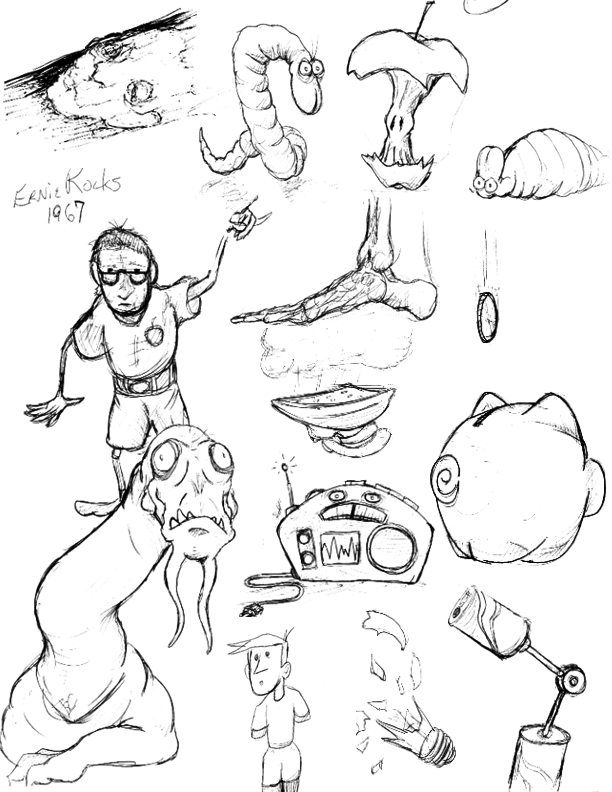

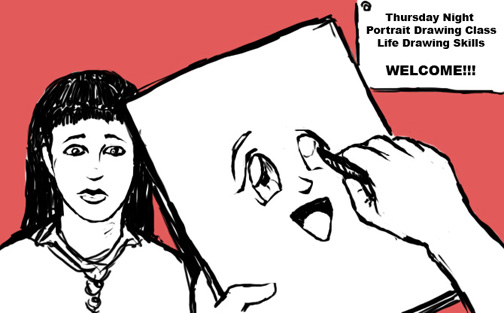
Sketches done during an Education class last spring...the topic for the evening...we discussed administration's role with regards to teachers in the classroom...Varied items including one of my coworkers that had a mullet back in the day and went to school where I teach...and he probably hadn't even been born in 67 but it seemed funny at the time...
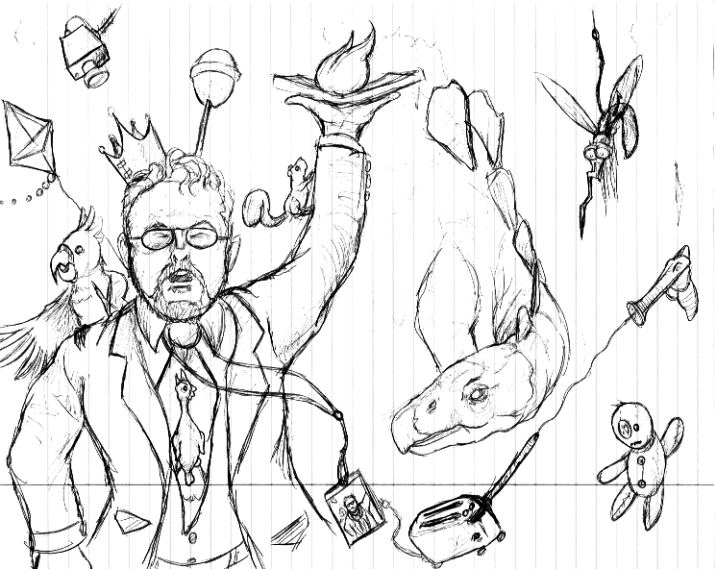

Last fall a speaker squeaked a 45 minute presentation into 3 hours...the holder of knowledge of all things fire extinguishers...


Education class talking about cameras in schools...reminded me of my favorite big box store and a guy I used to know that regulated safety/security at one...I just kept getting goofier and goofier as I drew trying to capture the greeter of the future...

Monday, December 25, 2006

IF:Let Us Make Peace


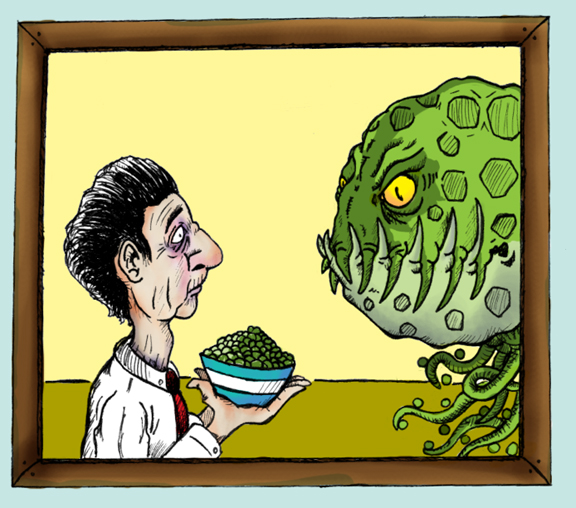
Mistranslating the pre-arrival transmission as "Let Us Make Peas" made for a rather uncomfortable first meeting with the pod people from the DelMonte galaxy...

Tuesday, December 19, 2006

IF:Help...


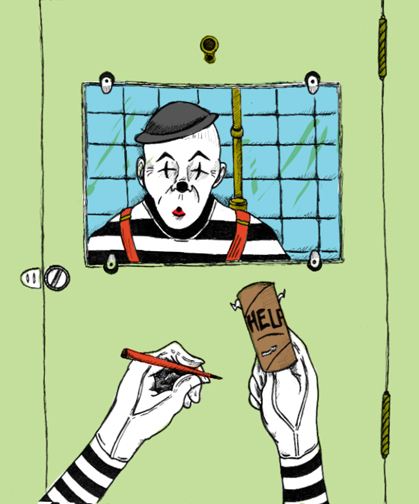
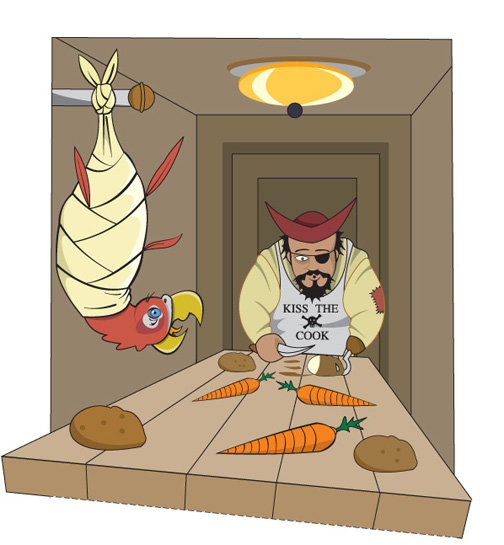
A public restroom, an empty roll of toilet paper, a mime, and a desperate cry for help...(or 'why mimes should always check to make sure their paperwork can be completed before they make a big commitment')...

Friday, December 15, 2006

An acronym for the ages...


We have all heard the saying...By failing to prepare you are preparing to fail...and it is true. But a more colorful and attention getting way to say this is simply PPPEPPR...But what does it mean?

It means when you have a deadline looming it is important to follow the creative process to work out potential problems before you waste time...it means to pay attention to the message and audience so the problem is answered correctly...it means you need to not find a solution but to find the best solution...it means it is important to budget one's time to allow for adjustments to the product...it means to be self-critical to cut down on obvious mistakes in design or technique...it means putting forth focused effort to produce quality rendered items instead of mindless scribbling...it means that you are on display and what and how you do something says something about you...perhaps in no other field are you truly so judged by your work...and by not doing these things you produce bad work that will result in redo's, poor grades, a bad reputation, extra stress, or even firing if you should be in that position. (I'm also a fan of 'if you don't have time to do it right the first time you obviously have time to do it again...but it isn't nearly as catchy...)

So what does PPPEPPR mean? Poop Poor Planning Equals Poop Poor Results...funny, I know...but TRUE...and unfortunately, we as artists can tend to be scatter-brained procrastinators...but by developing good planning skills (and it does take effort on our part to do this) the majority of issues can be resolved in a much more stress-free way, making our art more enjoyable for us and more visually pleasing for the viewer...

Friday, December 08, 2006

IF: Mask


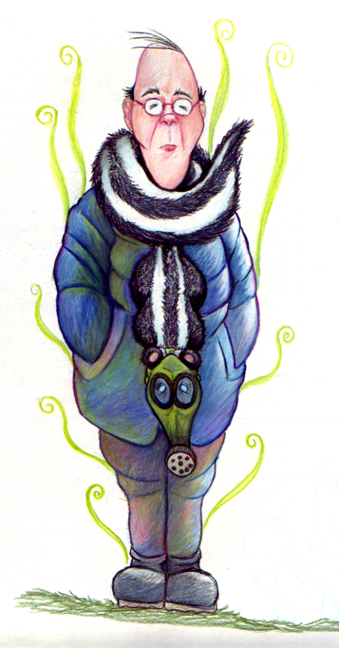
Uncle Melvin smelled so bad that he wore a skunk around his neck to try and mask the odor...maybe he should've tried for two...

Wednesday, December 06, 2006

WHAT THE?!?!


I have had several people contact me with regards to 'the process' and ask me some very good questions. I had never really intended for this blog to be an 'indepth process showing' area (partially because there are already so many great blogs out there with such great information)...it was meant to be a bit of a diary for myself as well as showing tips/tricks/tidbits for my students or others that might stumble upon it. I think other folks' blogs have shown a great deal of inspirational work that have helped keep my creative fire going.

In order to keep this blog 'cleaner' and to be able to show a strong indepth process from start to finish, I have started one more blog. This will help me to be more flexible with the work I can show here as well as to keep from breaking up the process too much, as I have no idea how long it will take to do what I want to do. On 'blankenstine unmasked' I will be attempting to show an entire process as well as doing the same illustration in multiple media.

As I use these blogs for teaching purposes and multiple voices can help the students to see how the real world works (both college and work), I appreciate any feedback you may want to leave...

And the pic? This was one of only a couple of shots from the zoo that had some personality (and no...it isn't me...)

Tuesday, December 05, 2006

Let it breath...

A good thing for an artist to be able to do is create strong mental images of what they are working towards. After this some people follow the process to refine the work and some (more of the fine artists) refine their work 'on the canvas'. Either way it is important to let your work give itself some of the direction. Never be 'married' to a piece so much that you are afraid to let yourself go and try new things. Usually when I talk to an artist about a piece I really like, I hear the same story...The core idea stayed...but as they worked, the image pulled them in different directions...and it always turned out better than their original concept.

Between working on the computer vs. traditional methods the computer does have one advantage. The undo button. Those working in more traditional methods are sometimes apprehensive about trying new things or trying to experiment on a piece that may get 'ruined' in the process. This apprehension can sometimes move over into the digital arena as well and the work can end up a bit lifeless and overly sterile. Recently viewing an item on IF people liked the sketch more than the digital work. This is because during the sketching phase the drawings usually seem to have more personality and life.

In this piece I had planned on continuing my traditional ways...I had everything laid out and ready to transfer to illustration board...I had a strong image in my mind of what and how I was going to do things...but my coloring hand was begging me to give it a rest. So I went digital. As I was going I noticed several things that didn't transfer well digitally...mostly the legs (but the heads had issues as well). No matter what I did they just didn't have that whimsy that I wanted, so I switched to the current version...I let the work 'breath' or dictate what 'looked' right in the given situation.

Friday, December 01, 2006

IF: Might...


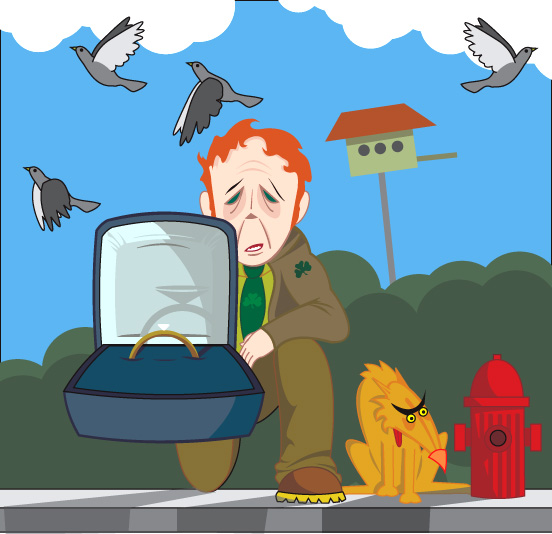
Those pigeons might not dirty any cars...that dog might not wet that hydrant...that guy might not be Irish...and he might not be wearing a bad toupee...and she might not say,"No"...but I wouldn't bet on any of it...

Thursday, November 30, 2006

Why it's obvious what we have here before us is...

In the previous post I discussed a little about paleo-art and the guesswork that is involved. Some of it is educated guess work (such as ligament scarring on bones helping to show muscle attachment)...but some of it is just plain old make believe (such as when a single toe bone is found, a complete skeleton is reconstructed, and an art piece created showing what the creature was...and very often the fact it is based on a single small piece is a hidden from the audience).


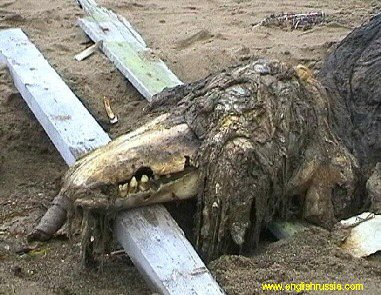
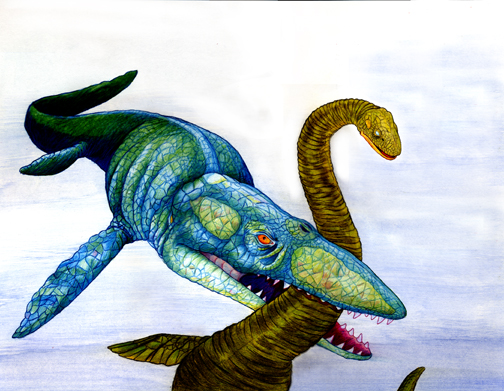
About a month or so ago while going over a cryptozoology website (www.cryptomundo.com if you want to check it out) there was listed a report that a Russian fishing vessel had found an unknown bit of skeleton that perhaps belonged to some sort of sea monster. Later several people came online to help identify the skull...but it was funny to see all of the people guessing as to what the creature might be...showing how our imagination can sometimes can get the best of us (which isn't always a bad thing).


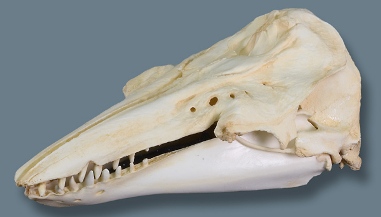
I read the general story to my class and then showed them a brief glimpse of the rotting corpse. I then gave each student a copy of a clean skull and asked them to 1) Render the skull by using basic drawing techniques 2)Flesh out the skull to depict what the head of the creature might look like 3)Draw a smaller version of their head with a body of what they thought the entire creature might look like. We mostly got dinosaur type pictures (which is what the Russians believed the creature to be.)


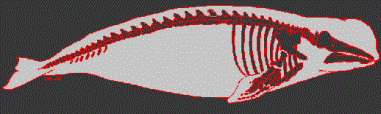
After they had completed the exercise I showed them what the creature actually was! It is hard to imagine that the real creature could 'come' from the skull presented...and if we didn't have a living example to directly compare the skull to I wonder what the scientists would would imagine it to be...


Since I was due for another drawing for my kids, and I was enjoying the computer free zone for a bit, I threw my hat in the ring on this project. I started with a quick gesture drawing of what I wanted to do, grabbed a big honkin' piece of illustration board, and went to work. I didn't like the plain white background this time so I used a splash of water color. I knew I would never be able to to use Prismacolor on such a large background ...too hard to try to match up the stroke work in sections and I would need about 75 pencils by the time the board 'chewed' them up...so it is a safe option for filling space quickly. I was also careful to keep the brush strokes 'visible' to add some visual interest.

Sunday, November 26, 2006

Flesh it out...


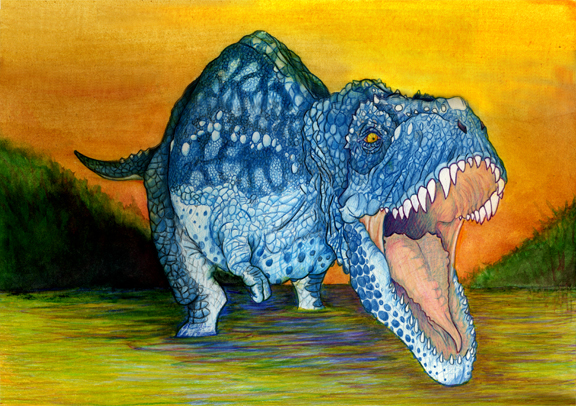
One thing I have witnessed paleo-artists doing is 'fleshing out' skeletons. They will take an image of a skeleton (drawn or actual photograph)and use tracing paper as an overlay to add muscles and then a second drawing detailing what they 'think' the creature looked like.


(Image from www.dakotadino.com/General_Info.htm as a sample image. I'll post the actual skeleton I used when I locate the picture.) Make sure to pick an image that is interesting for more drama after some initial practice on more static poses!

Now keep in mind that many fossils are very incomplete (some consisting of a single tooth or less) so there can be a great deal of guesswork into just figuring out what the skeleton looks like. Tie that into the fact that we haven't witnessed too many of the critters running down mainstreet, and you have a great opportunity to let your imagination run wild! Be careful to do searches on skeletons or skulls so as not to involve another artist's design! (More about a 'guesswork' exercise highlighting this aspect later that will leave you stunned and amazed...maybe.)

Here is another prismacolor rendering (used on dino and water) with a watercolor background. Watercolor can be a bit difficult to work with on illustration board as it will leave 'paper balls' on the surface if you work too fast saturating the top layers of the board. Makes sure to take your time with WC on this material! Cotton-rag paper is something I prefer to use when I know I will be using watercolor, as it will 'hold' the paint better (less blooming of the color)and eliminate the skinning of the substrate.

A tip that I picked up when using colored pencils: The pigment is 'held' in a waxy substance. Over time, this substance will leech to the top (known as a 'wax bloom') and dull the intensity of the work. To prevent this, spray the finished drawing with a fixative! This will help cut the wax bloom and keep your colors intense.

Friday, November 24, 2006

IF: Invention


The wagon forced us to carve the wheel...the sandwich opened the door to sliced bread...wedded bliss blossomed into prenuptial agreements...Yes, necessity is the mother to all invention...but alas...she is a harsh mistress indeed...

Tuesday, November 21, 2006

The shape of things to come...


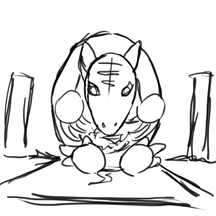
I was talking to a co-worker and doodling...it all started with an upside down egg shape...within about three minutes that shape had 'turned itself' into an armadillo. What is the lesson? Again, always be ready to draw...second, shapes are your friend! In the beginning, most artists with natural talent tend to resist the 'break it down into shapes' or 'gesture' method. This usually results in work that suffers as 'deformed' while they try to do contour drawings and then add other stylizations for a more naturalistic appearance...there is no 'refining' stage.(By nature contour drawings always seem to be a bit distorted due to the techniques involved). Third...always feel free in the planning stages to let the drawing dictate itself! You can have a general idea that you work towards but be careful (and not afraid) to let the drawing have a life. Process and planning is important, but it can kill a piece if there isn't any 'breathing room'.

I eventually landed on the idea of...what if an armadillo was having a picnic to bring in ants to eat the food...so he could eat the ants!!! It was used in a series of drawings for my children's school.


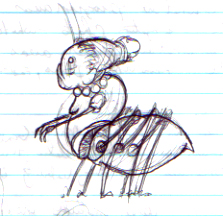
While the original sketch sits in a pile of papers in a box, here is a brief sketch recreation showing the mere shapes I started with.

Having recently completed the Yuck pic...I thought I would return to the computer. But the more I thought about it, the more I realized I didn't want that 'sterile perfection' that can sometimes occur on the computer. I had to use multiple scraps of tracing paper to get the feet to look 'right' before compiling all the pieces and doing a final template (this will be shown in detail on a current project at a later date). The template was then burnished to piece of illustration board for coloring with Prismacolor. I used photoshop to figure out a nice background color and eventually used watercolor to there to complete the image.

Sunday, November 19, 2006

STEP AWAY FROM THE COMPUTER!!!


I almost imagine a bullhorn with police cars and weapons drawn on that title...In a previous post I declared the importance of hand rendering and the thought that computers are the magic tool to make everything better. Students are often in a hurry to get to the computers without worrying about the fundamentals. In college I was the same way. Thankfully I had instructors that pulled back the reigns and made us realize that computers are a tool...like a pencil or paintbrush. They do some things well and some things not so well. They can make projects go twice as fast or make them go twenty times longer than they should have. The truth is there are some 'looks' that you just can't get from a computer. A former student wanted to create the look of crumpled edges on a special type of paper. They thought the answer was to search for a tutorial and a filter in Photoshop. After 'letting' them search for about 20 minutes to no avail I suggested perhaps crumpling the paper by hand and scanning it in...a valuable lesson was learned by the student.

Those that I know that have been swallowed by the digital age often bemoan the fact that they don't get to do as much hand rendering. I can't think of a single person that works with computers that doesn't relish being able to get away from them for a while. The lesson...while computers can be great, sometimes nothing beats just sit
ting back and doing things the old fashioned way. Take the time to experiment with traditional media you've never worked with before or develop your techniques with media you are familiar with. But be careful not to abandon 'the old ways' or you'll tend to lose a little something you just can't capture with a computer.

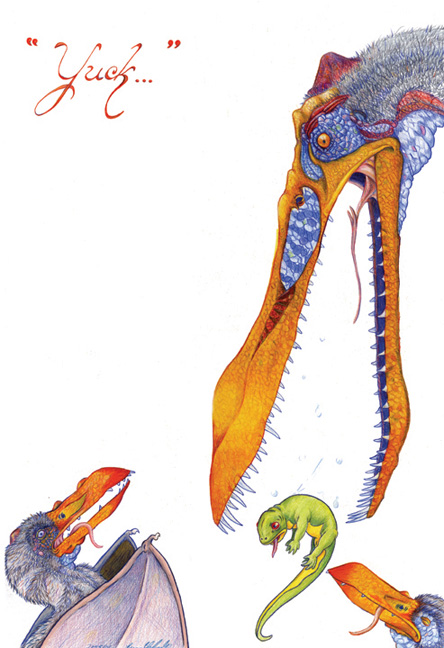
For this work I was determined to do just this. I had only worked with Prismacolor slightly in the past and wanted to see what I could do as a more 'mature' artist. I started with sketches here and there, throwing together exactly what I wanted to do. I grabbed some reference pictures of only skulls from the internet and fleshed them out. ***WARNING*** When gathering references, especially for things we haven't seen running around for a bit (and only illustrations are available), be careful about stumbling on other's work for 'influence'. Let YOUR imagination and style come out...their stuff is already there.


After doing the sketches I ran some copies of certain parts and did color tests to see which colors I wanted to use. This is a smart time-saver and can keep one from ruining a work because the 'plan' and reality didn't mesh...prismacolor isn't the easiest thing to remove without damaging the illustration board and you can't just 'color over' a bad spot as there will always be a bit of a ghost image.

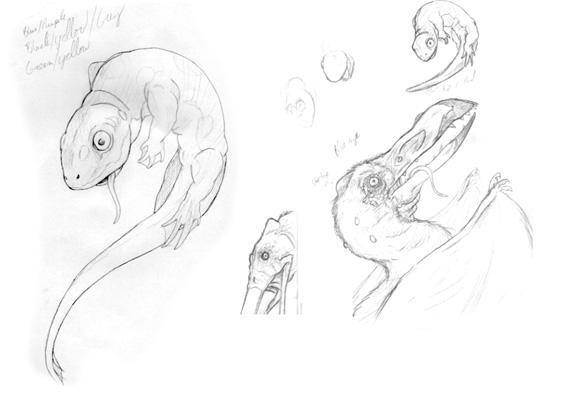
Typically when I work with the colored pencils I use them rather thick and do a lot of 'glazing/burnishing'. Here I tried to find a good mix, letting the texture of the illustration board help show the texture of the skin and fur but working with a heavy hand on the beaks and eyes. I liked keeping the background stark white to help the figures pop. I often do illustrations with one word catches and here we have 'YUCK'. A momma ptero didn't like have the salamander in her mouth but knew it was good for the kids. The salamander didn't like being in the slobbery mouth...and the kids, well they don't like anything that is good for them. I think I had brussel sprouts in my mind the entire time I was doing this...

Saturday, November 18, 2006

IF: Thanksgiving


Thanksgiving...400 miles out to sea...no turkey...something had to give...


Created in Freehand...

Thursday, November 16, 2006

BEWARE!!! DESIGN CREEP AHEAD!!!


It is very important that artists watch out for what is known as 'design creep'. Design creep is where a certain style is copied so much it seems to overtake everything! Next thing you know it seems like this is the only style in existence. And EVERY generation has it. What is wrong with copying styles??? NOTHING...if it is kept in perspective, you are already sound with the fundamentals of art, and you have YOUR OWN style.

As an artist it is important to develop multiple styles and abilities to be able to adapt to different situations. What if you only have one style and your client or employer doesn't like it?!? If all a pitcher can throw is a curveball, eventually people catch on and you become ineffective. If an artist can only do one style then they have a limited market that they can play to. And starting out it is important not to paint yourself into a corner.

I have seen students come through my class and all that they drew was anime characters. (In my day it was comic book characters from Marvel and DC.) Because they didn't balance themselves out, EVERYTHING they rendered had that style. Life-drawings, portraits, rocks, trees...all their work was 'tainted' by this style and they had a hard time being able to break away no matter what they did. Some still can't find their own style to this day!

Do I personally hate anime? No, it is another style of art and I have seen some exceptionally nice things done in this style. But keep in mind the following:

1. It is important to become sound in the fundamentals of fine art skills and design. This will make any styles you develop or copy all the better.
2. When colleges are looking at portfolios for scholarships they generally are turned off by such items. I have heard people that reviewed portfolios say that if they see comic book or anime characters then they are immediately set in the 'not gonna get a scholarship' pile. They want to see the sound fundamentals listed in #1 and then YOUR style and creativity.
3. Make sure to develop YOUR OWN style(s). Learn from other styles but remember, in highly competitive and creative fields it is often the unique style that grabs people's attention. The more you can do the more marketable you are!
4. If your goal is to become an anime artist then work towards that, but with realistic expectations. It is a niche market with millions 'practicing' the style. And the more people that are doing it the harder it will be to break into that area. In order to be great at it you need to know the fundamentals of art.

Again, if you want to practice ANY style, make sure to keep it in its proper place. Know the difference between a 'hobby' and what you can earn a living doing. (I know lots of people that work in the art field that enjoy painting, are fairly good at it, but they know they will probably never make a living doing it...but they can use it to enhance what they do make a living at.) Make long term and short term goals that are realistic and strive to do your best along the way.

Wednesday, November 15, 2006

If you can't accurately draw what you see...


If you can't accurately draw something that is right in front of you how can one expect to accurately render something that is in one's head? Drawing is 90% seeing...paying attention to subtle details...finding 'markers' to gauge proportions and making corrections to the sketch (instead of reinforcing the errors by merely outlining what you drew wrong to begin with).

If you are drawing something that you are visualizing, it is still important to be able to 'see' it clearly in the mind. Students are often resistant to life drawing and think that they do a better job drawing make-believe items. They often say this because someone that might be 'judging' their work can't climb in their brains and see how accurate they are or are not. Life drawings are more concrete when evaluating...are the angles correct? scale? proportion? values? As they struggle through these issues (if they are focusing and taking the issue seriously) they improve in both life and imaginary renderings.

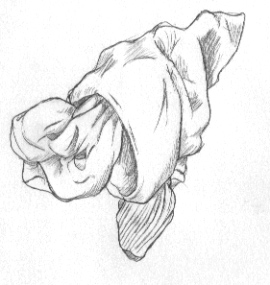
But focused practice and practice tend to be two different things. If the teacher is the motivation, then their work tends to be several notches above what they do at home...and any improvement is usually temporary at best. Drawing is a skill and must be practiced to be maintained and improved upon! One of the best exercises for drawing is to take socks, twist them up, and spend about 5 minutes doing quick sketches. Trees also tend to be a great practice item. Again, it is important to pay attention to the details and practice 'seeing'. It is very easy to spot a drawing where someone is 'generalizing' and not drawing what is actually there.

More on the importance of life drawing and the dreaded 'design creep' in a later post.

Monday, November 13, 2006

Just DRAW!!!


It's funny sometimes to hear people that 'think' they interested in taking my class ask "do you have to draw...I hate drawing". Like my old prof Greg used to say...they think the computer has a make cool button but really it's just a $4,000 paperweight...and in the wrong hands this is definitely true...I say if you do poor work by hand you will probably do poor work on the computer (and it has mostly held true)...not being able to be at least proficient with drawing skills has always come back to bite people in the rear. Not that people can't learn, but there is definitely a needed focus and amount of effort that those lacking 'natural ability' aren't usually willing to put in.

I have never known a serious artist (commercial or otherwise) that hasn't had the same advice...keep a sketchbook. Draw like no one is looking (although people will always flock to you when they see you with a sketchbook in a public setting). But the only way to get better is to draw. The only way to stay sharp is to draw. The only way to keep your mind attuned to quality and attention to detail is to draw. The only way to save the endangered three legged otter of Norway is to draw. Thank goodness I attend a LOT of meetings and the like that gives me the chance to study folks or just throw something out to ease my mind. A good bit of advice I learned recently is to get a good sketchbook and actually use it like a scrapbook. Since I often draw on whatever is within my reach, (bulletins, notebook paper, napkins, etc.) this has proved invaluable. Often some of my favorite sketches are 2 or 3 minute studies that I did, working loosely and trying to capture the person or thing before they move on...And don't worry about being 'judged' in your sketchbook. This is you time...no pressure...relax and get lost in your sketchbook!

Saturday, November 11, 2006

Lessons Learned...


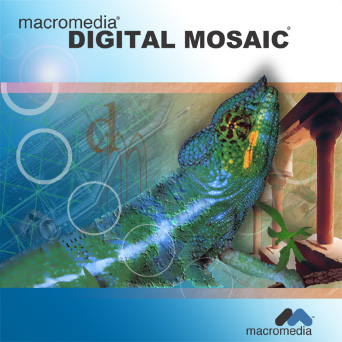
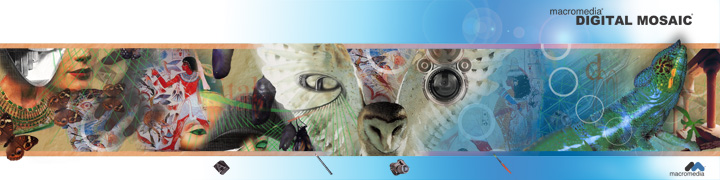
This was a project where we were required to do an 8 panel cd for a fictional graphic design software application that could do it all. It took several days to come up with a strong concept that would cover all the capabilities of the software. The creative process should be a time when problems are worked out and obstacles dealt with. Too many times students have a weak concept as a whole that might have one or two bright spots they are 'in love with'. The problem is that such efforts usually end in tragedy because errors 'appear' that no matter what you do just can't be fixed. So lessons that should be learned early are:


1. Follow the creative process. Do multiple thumbnails and try not to be satisfied with ideas that you think are great right off the bat. Sometimes artists can get a bit lazy and not really push themselves and great ideas are never fully realized. Often the best ideas are the least obvious (that is why they are so attention getting when they come to fruition). If 'artist's block' occurs...go off and do something else...the subconscious is often still at work and you might be doing something as exciting as folding socks when your brain wakes you up with THE solution. 'Digital Mosaic' came to me when I was about to doze off for the night after stressing for several days straight.

2. Visualize the final product from the beginning so that you have something to physically work towards...BUT...always be willing to adjust the piece. Let the work 'lead itself' and if the concept was strong it will survive and be all the much better. In this work I was trying to play up the digital mosaic too literally and thought I could use some of the filters to piece the visual imagery together with 'tiles'. After several attempts I knew this wasn't going to work out but was able to keep the core idea intact with the main images.

3. Have a reason for what you are putting in and establish 'relationships across the page'. If you are not careful you can end up just throwing stuff in to take up space...if no flow or relationship is established among the objects you end up with visual clutter. I tried to select objects and placement that were related to each other, to art, and to the media to be used. Note the use of flying creatures, grids, circles (real and implied), typography, and architecture. Sometimes less is more, but if a strong bond and flow is present then a visually rich work can be produced. There were also visual metaphors with regards to transformation and flight...but I'll spare you that!!! Remember, deep ideas (even if not explained) still add visual interest and come across to the viewer...so think deep.

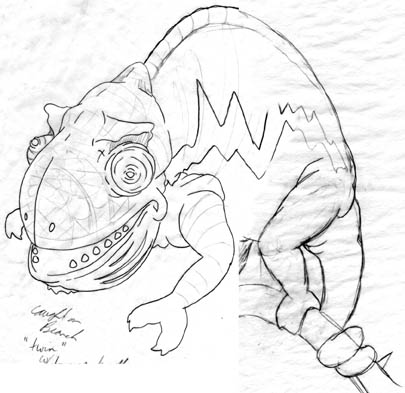
4. BEWARE FILTERS. Filters aren't always bad, but the best use is limited and subtle. Smart use of a filter is often one that doesn't really stand out but accentuates the piece. If it screams filter it usually screams cheap. It seems with the advent of solid art classes popping up in high schools that art schools are starting to take notice. Hand rendered fundamentals are still (and should be) tops when consideration is given for scholarships...but strong well designed computer work utilizing the creative process and elements and principles of design can push you over the edge! Too often students try to 'hide behind the computer and often use filters to help them because their hand work is poor. In this work I found out that adjusting SMART BLUR can give a photograph a painterly effect! From here I used subtle transitions to make real pics flow to items that look painted. One other area a filter was used was the transition of the chameleon...besides smart blur I also patched a piece using a lighting effect for a bit of texture leading to the 'real' head.

5. Typography...text needs planned out and not just slopped in where it will fit. This area takes practice to get the feel but it is a bad idea not to plan out text placement when doing thumbnails and roughs. The result is often trying to force in text where it doesn't belong and too often work is lost because there isn't a workable solution no matter how much you shove it around.

6. For both digital and physical portfolios...save a copy with rasterized text or (in vector programs) text that is changed to a shape. This way you won't need to worry if using a different computer will mess up your text. The ad shown is missing the text because I didn't learn this lesson early enough (and it is eventually going to make a lot of work for me). Also, save a copy adjusted for print and a separate image adjusted for viewing on the web as the colors are sometimes worlds apart! And remember...save a copy flattened and a copy with all of the needed layers in case adjustments are needed later.

Friday, November 10, 2006

CLEAR!


After coming across Drawn.ca I noticed Illustrator Friday...thought it might be good exercise to keep the old brain cells knocking together!!! The topic was 'clear' and for some reason I had dead goldfish on the brain...and it fit perfectly. Hopefully next time I'll get to it before 9 PM Friday night!

Thursday, November 09, 2006

RESEARCH!!!...and don't forget to back up your stuff...


My senior capstone project that I chose to do was an illustrated children's book on the plagues of Egypt. (Thanks to Matt Cram and Greg Lyon for being such great instructors during my time under their watch and being flexible.) As previously stated, it is always good to have a story for what you are doing, no matter how simple. This one was already taken care of but it was a spectacular journey none the less and required more research than any other thing I've done before or since.

Each of the plagues was directed to a specific god(s) worshipped by the Egyptians and was really meant to discredit their power and authority. The first step was to find the specific gods and any visual/written information to base the illustrations on. Some were relatively easy, some not so much. The key was not to give up!!! Sometimes there is artistic license expected but usually the information is there to help with 'educated' rendering. Sometimes students will only dig as deep as the first few items to pop-up on the internet and give up or have little or weak info to go on. After getting what I needed over the course of several weeks I sketched out the gods (with my own spin while trying to remain accurate) and drew the items in Illustrator.

Along the way I found out great information about the daily lives of the Egyptians and how the plagues would have affected them...for instance, shaved heads with wax to hold on wigs (lice)...the Egyptians also had a furnace for sacrifices and used the ashes for their own 'purification' ceremonies (ashes from the furnace were scattered to the wind and became boils)...the biting flies carried disease that caused blindness (note the start of the hazing of the eyes). These items helped to come up with 'cut scenes' placed within the page as well adding visually interesting touches.

Sketches were imported into Photoshop and painted using the sketch as a basic template. No lines were visible (like in the Holocaust piece) and no outlining was done other than the importing of the Egyptian gods. Lots of layers and the same process of screening and multiplying with the airbrush tool.

So it is important to do solid research and get your hands dirty...and the best artists that I know tend to be the ones that do the most research and are 'students of life'...always trying to figure out what makes the clock work and taking it apart if need be to gain the insight.

The two-page section shows the general layout for the text page which brings us to the warning. DON'T FORGET TO SAVE OFTEN AND HAVE AT LEAST ONE BACKUP COPY! CD's are exceptionally cheap and portable hard drives are pretty cheap too. ALWAYS save a copy with all your layers for adjustments. At some point I wish to revisit this item but I didn't have backup copies of everything and a student accidentally reformatted my portable HD...I lost 4 years of work with very few items recovered!!! And some of the items I did recover were flattened and will need to be completely redone. But hey, they always say it gets better the second time around!